Case study · Live — App Store, Google Play & Web

Grocerly
Pantry-aware recipes, without the app-store noise.
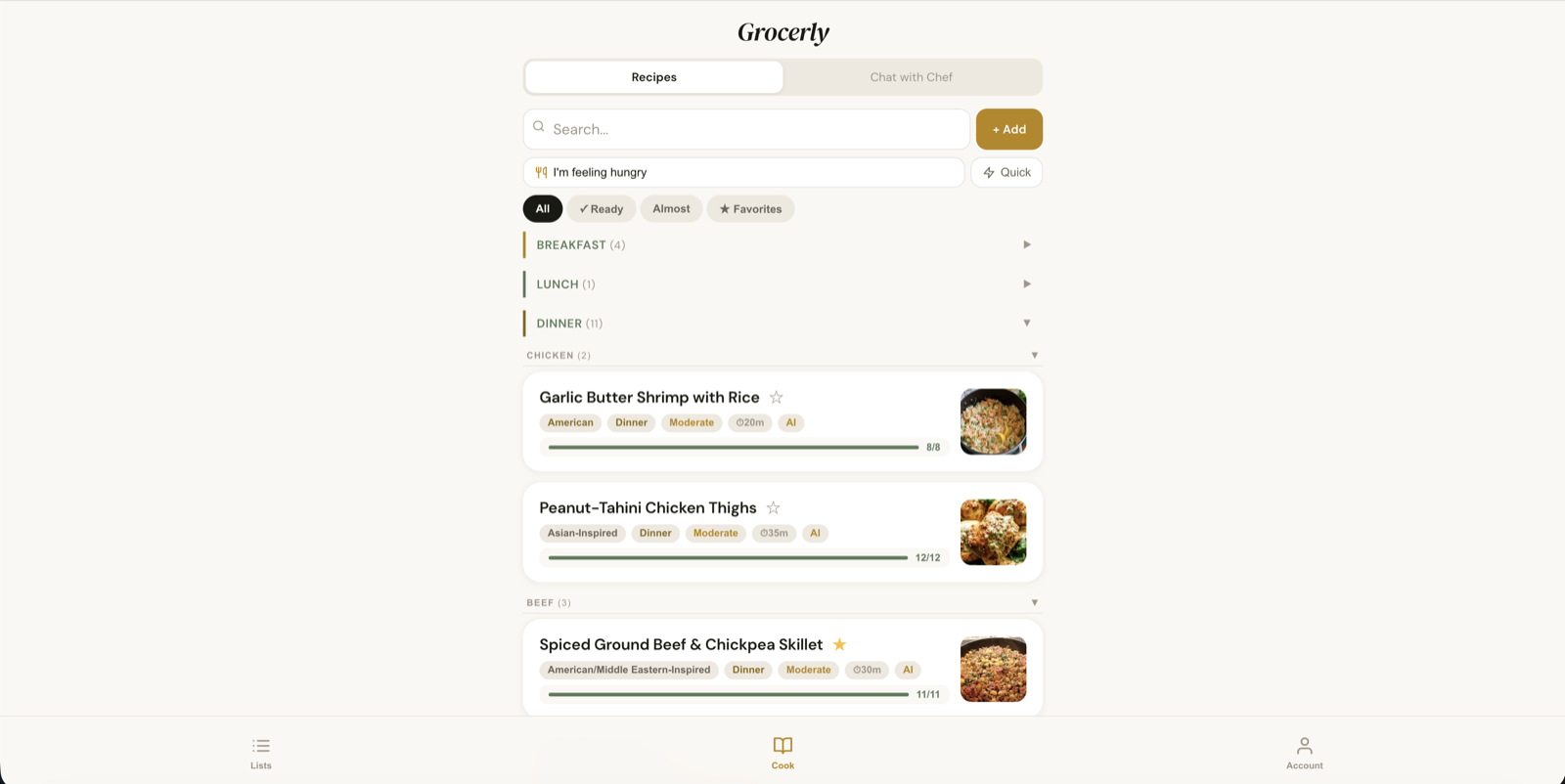
Grocerly is a recipe and grocery app that starts from what's already in your kitchen. It's live on the App Store, Google Play, and the web, all from a single React codebase.
The problem
Recipe apps don't know what's in your pantry, and grocery-list apps don't know what you're cooking. The result is the same list re-typed every week and a second jar of something you already had.
Grocerly connects the two: track the pantry once, and both the recipe library and the grocery list work from it.
How it works
Ingredients live in categorized pantry sections, each marked have, need, or don't have. Recipes come in from a link, pasted text, a file, AI generation, or shared straight in from other apps, and the library filters down to what you can cook now — or are only an ingredient or two away from.
The grocery list is the gap between a recipe and the pantry. An AI chef, which you can name yourself, knows your pantry, preferences, and allergies, reads photos, and comes along into a Cooking Mode that keeps the screen awake and runs timers. Macros scale with servings.
Households share one pantry and grocery list across a family, and friends can send each other recipes, with push notifications on iOS and Android.
Engineering decisions
One codebase, three storefronts
The app is a React 19 + Vite web app, wrapped by Capacitor for iOS and Android. One build is copied into both native shells, so a fix ships everywhere from a single change.
Local-first where it can be, shared where it has to be
Your own data lives on the device first and syncs to Firestore in the background, so the app opens instantly and works offline. Household data is shared, so it lives in Firestore with an on-device cache and merges field by field — two people editing the same list don't overwrite each other.
AI behind a server boundary
Every model call goes through serverless functions that hold the API key. Subscription status, daily quotas, and AI consent are all enforced on the server; a quota slot is reserved before a paid call and refunded if the call fails.
Recipe import that can't be turned against the server
Importing from a link means the server fetches addresses a user chose. That fetch is HTTPS-only, blocks private network ranges, re-checks every DNS answer and redirect, and pins the connection to the address it vetted, so DNS can't be swapped mid-request.
Nutrition from USDA data, with AI only filling gaps
Macros come from USDA FoodData Central; the model's job is matching an ingredient to the right USDA food. The rare line USDA can't resolve gets an AI estimate, and the app labels it as one.
Households are created server-side
Clients can't create a household directly. A server function checks the subscription and creates it with admin privileges, so the rules on who can create one can't be bypassed from the device.
Translation at render time
The interface ships in English, Spanish, and Russian. Categories, cuisines, and meal types are stored as canonical keys and translated only when displayed, so the same household reads correctly in every language.
Stack
- Frontend
- React 19, Vite
- Native
- Capacitor (iOS + Android)
- Backend
- Vercel serverless functions
- Auth & data
- Firebase Auth, Firestore, Storage, Cloud Messaging
- AI
- Anthropic Claude
- Nutrition
- USDA FoodData Central
- Subscriptions
- RevenueCat (App Store + Google Play billing)
- i18n
- i18next
- Testing
- Vitest, Testing Library, Stryker, Firestore rules emulator